 bitdispatcher
Features
Everything bitdispatcher does
Ten areas, itemised. Every item has a screen in the web interface and a chapter in the manual. Where something has been tested only against simulators or sample data, the proof page says so.
The dispatcher's console
- The 911 call queue (ringing before answer), the incident queue with priority timers, the map, the incident panel and the unit status board on one screen; every part shows something the dispatcher acts on.
- A command line for everything (
D E1 M2,ER E1,OS E1,NEW SF 12 Main St,MO 2A12 MEAL,SC 2A12), with completion, history and the reason shown when a command is refused; a ⌘K palette; drag a unit onto an incident to send it; a right-click menu on every unit. - Run-card recommendation by capability and road time, counting units already on scene, flagging what is short and which stations would be left empty.
- Premises and hazards with every incident ("oxygen in use", "large dog", "Knox box"), and the address's history from the previous CAD.
Screens for several monitors
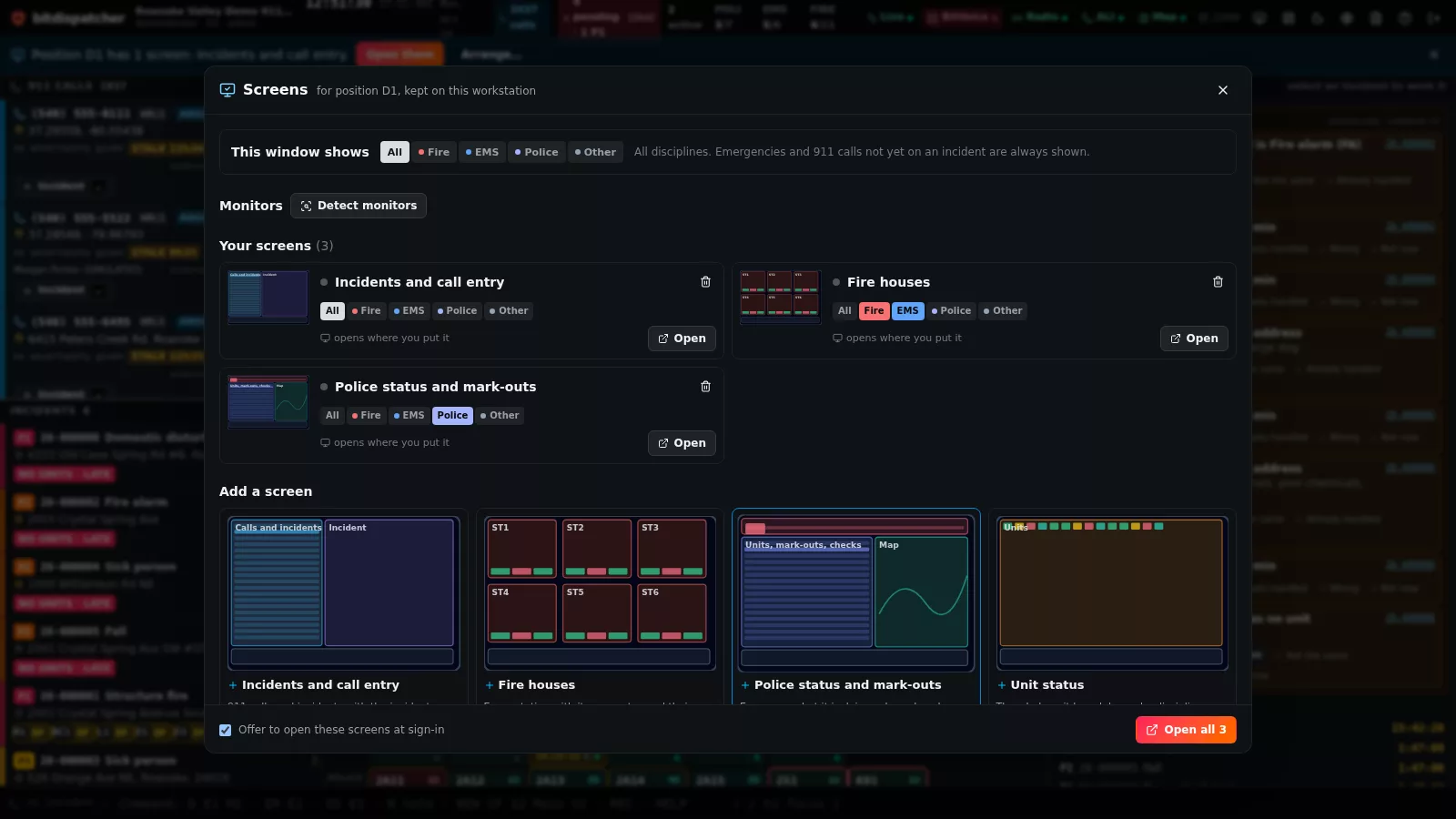
- Incidents and call entry, fire houses, police status and mark-outs, unit status, the map, the incident, and a supervisor board: each on its own monitor, opened with one click and remembered per console position.
- Each screen limited to fire, EMS or police if wished, with emergencies and unattached 911 calls always shown. Choosing an incident on one screen opens it on all the others.
- Monitors found with the browser's Window Management API, told apart by position, so two identical monitors are never confused.
Fire, EMS and police
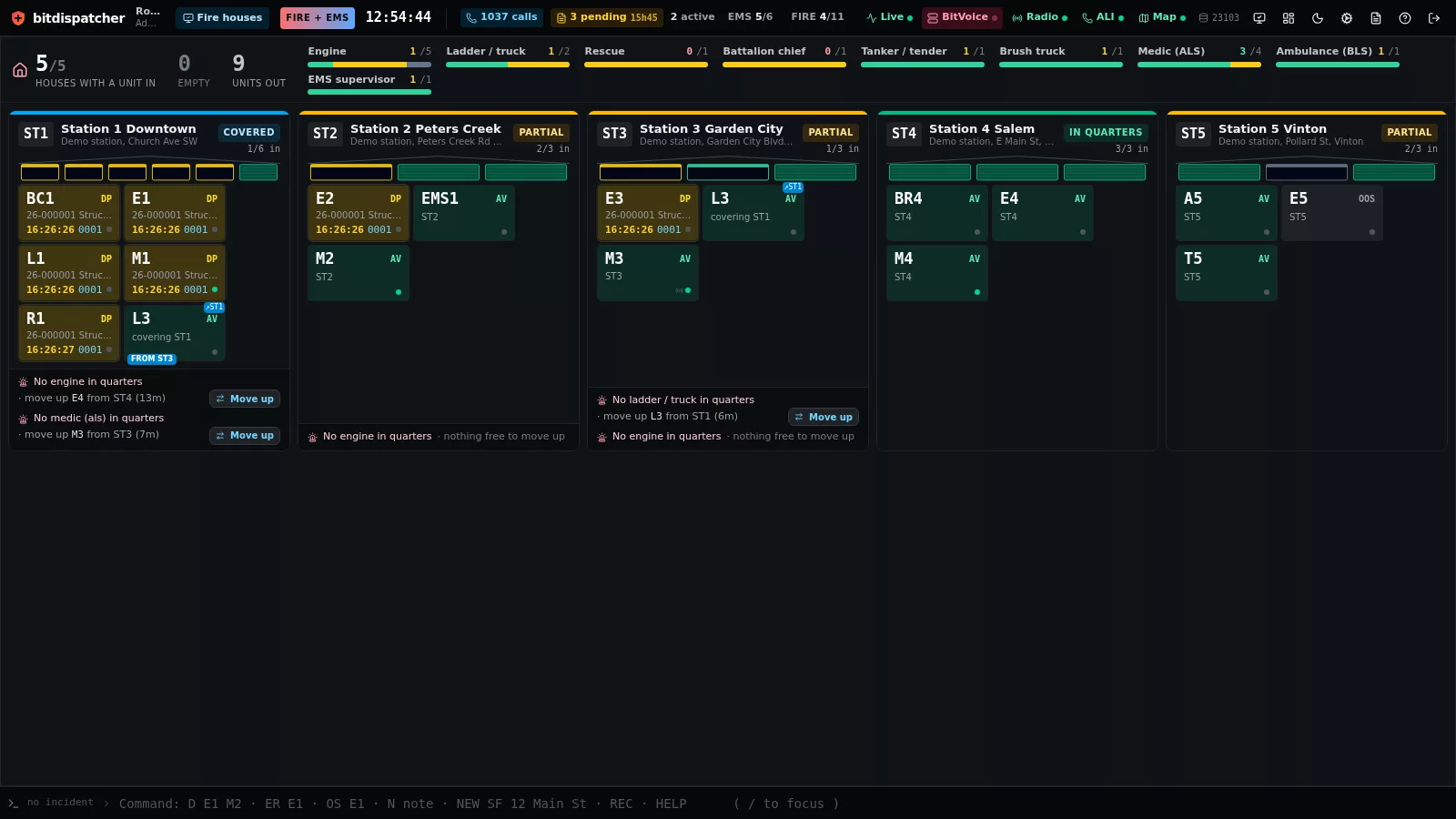
- Fire houses: every station as a card with its bays, what is in quarters, covering units and gaps, with a one-click move-up by road time.
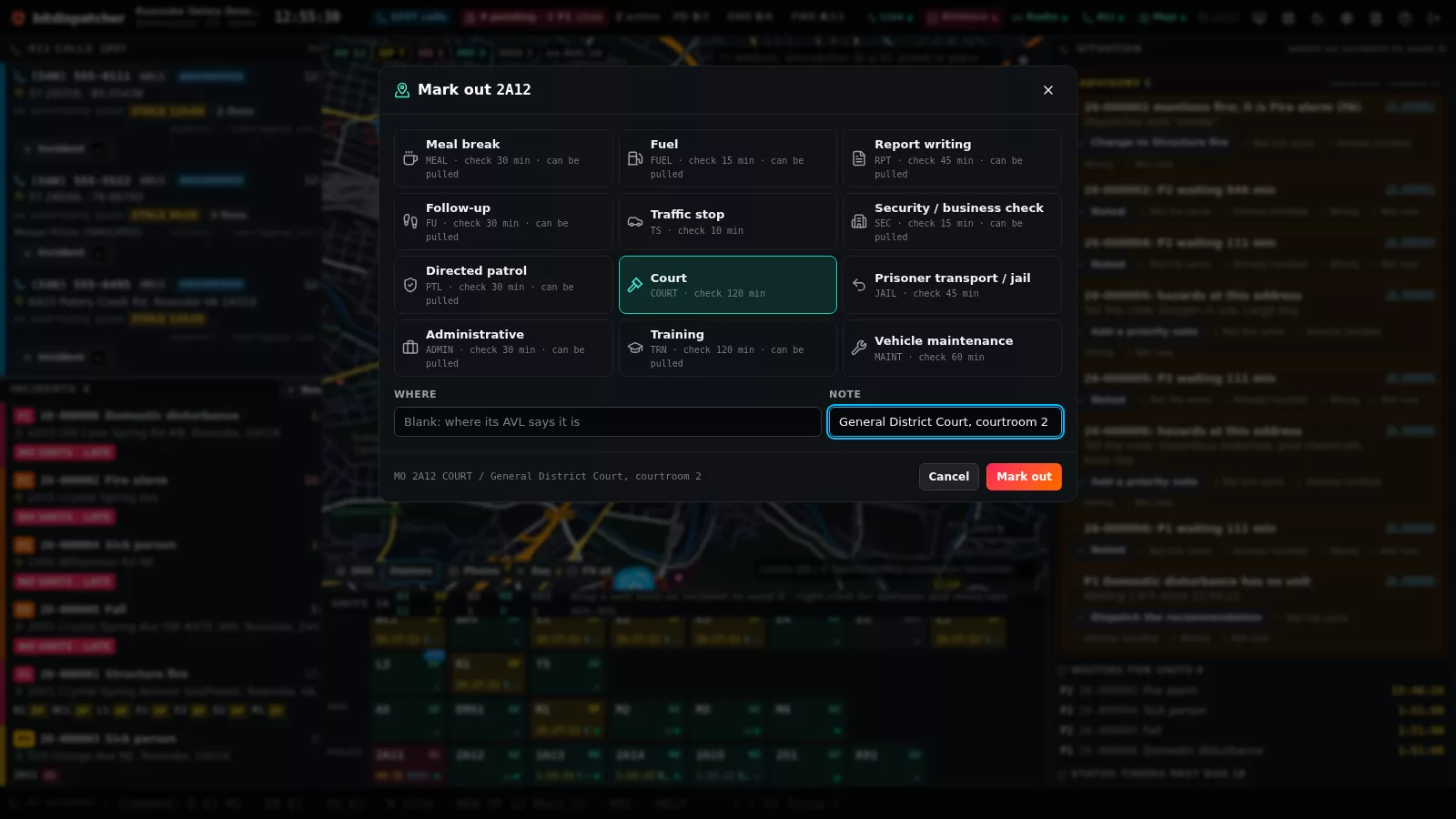
- Police mark-outs: meal, fuel, report writing, follow-up, traffic stop, business check, court, jail and more (the agency's own list), each with where the officer is and its own status-check timer; overdue checks flash;
SCclears them in one keystroke; interruptible mark-outs are offered when no car is free. - Supervisor board: what is free, what is waiting, status checks due, empty stations, and where the work is piling up, shaded by county zone or station area.
The map, with no internet
- OpenStreetMap recorded for a circle around the centre (100 miles by default) into bitdispatcher's own store: a night and day dispatch map, road routing, address, intersection and landmark search.
- County GIS (address points, hydrants, zones, place names) from ArcGIS REST or GeoJSON, searched first; Virginia's statewide address points are a preset. Centreline ranges and Overture's open addresses fill in the gaps.
- Aerial photos recorded in tiers (Virginia's VBMP, USGS elsewhere) under the map, on the console and the mobile terminal.
In the field
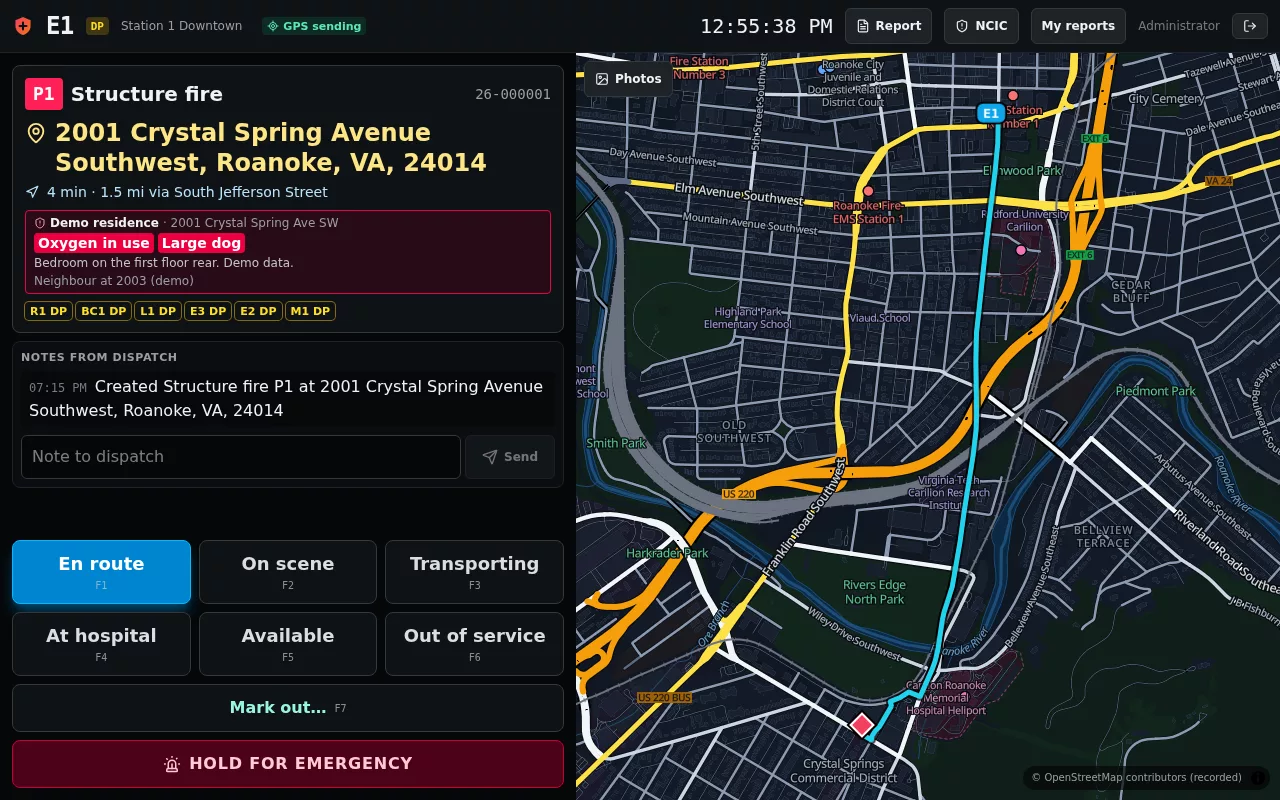
- A mobile data terminal for crews: assignment, route, premises, notes, one-tap statuses on F-keys, mark-outs, GPS, and the emergency button.
Records and reporting
- Incident reports with the NIBRS data elements checked and supervisor approval; Virginia's incident-based reporting file for the month in one click.
- NCIC inquiries through the state's switch or a training simulator, logged with purpose and reason.
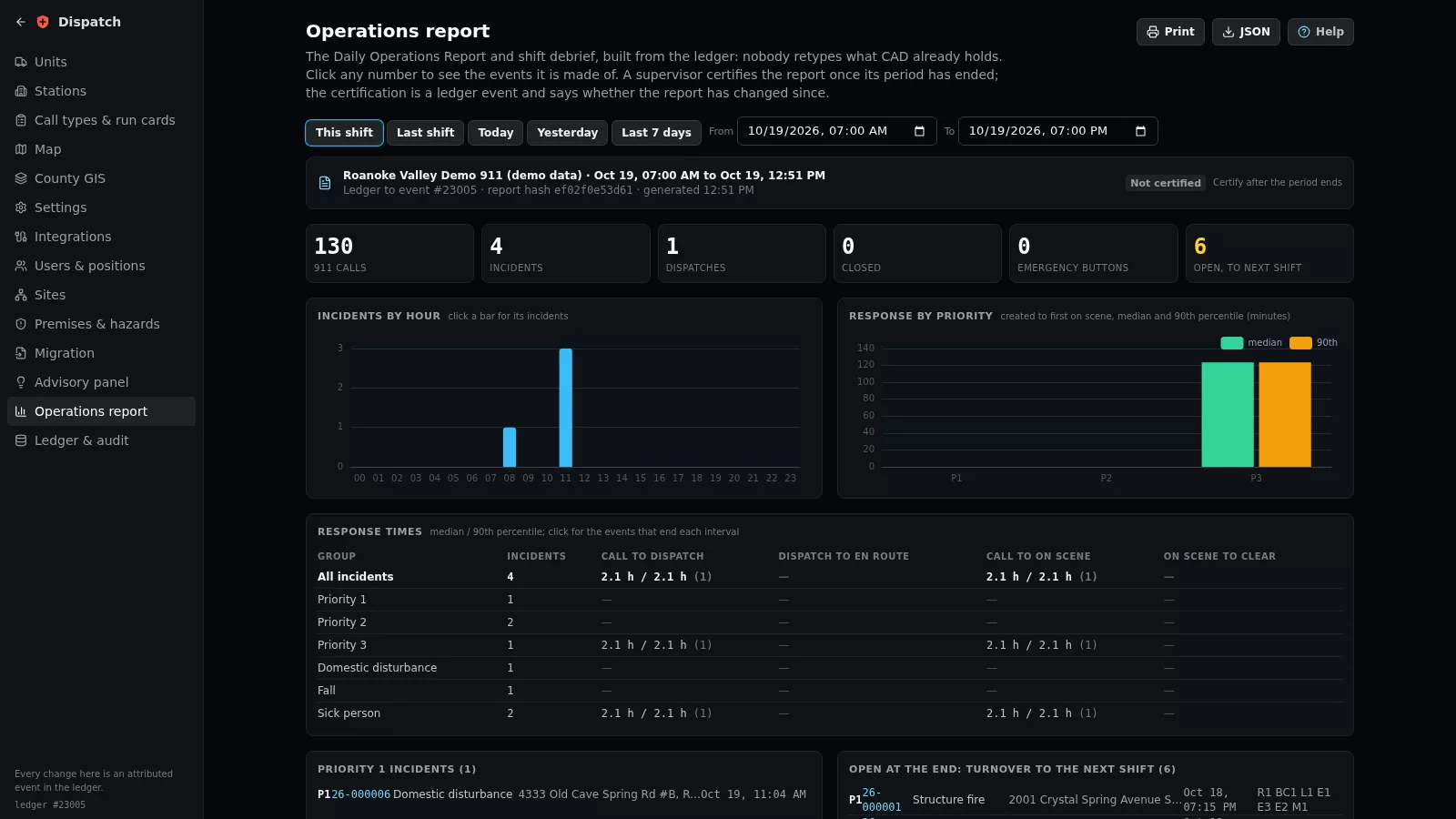
- The Daily Operations Report and shift debrief, built from the ledger, with drill-down and supervisor certification.
Assisting the dispatcher
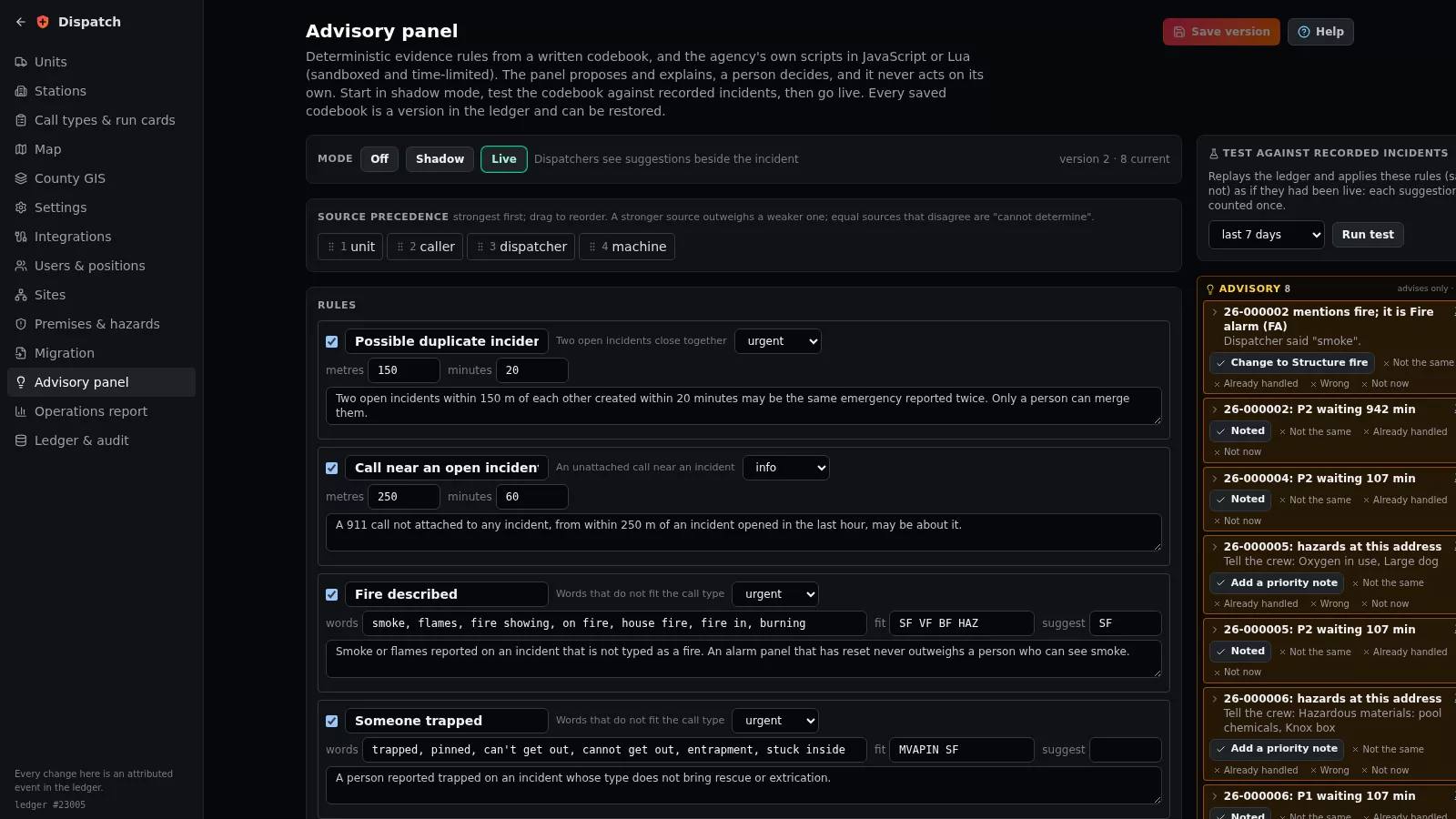
- An advisory panel: deterministic evidence rules from a versioned codebook (possible duplicate, a call near an open incident, fire described on a non-fire call, hazards at the address), in shadow or live mode, tested against recorded incidents first.
- Agency scripts in JavaScript or Lua, sandboxed and time-limited, for incidents, recommendations and reports; advice only.
The call, without the typing
- A live transcript of each call (from BitVoice or any speech-to-text engine), with the address, weapons, vehicles, plates, direction of travel, people and injuries pulled out by rules; urgent ones in red, the address placed with one press.
- Spanish callers translated line by line by a built-in emergency phrasebook (it says when it has only the gist), ready reply phrases in the caller's language, texted or spoken aloud; an optional language model of the agency's choosing for the rest.
- The phone's own device location and floor (altitude), and a trail for a caller on the move; several callers about one fire grouped and attached in one step; non-emergency calls kept to one side, with a person always deciding.
- Vehicle crash notifications rated for injury risk by delta-V and rollover, with the response to consider (an electric car flagged for the fire crews); drones launched by rule or by a press, flying on the map; radio transmissions' words on the incident; every incident summarised in a paragraph for the crews.
Looking after the people
- Critical calls (a cardiac arrest, a child, an officer down) put everyone who worked them on the supervisor's care list: a break offered, a debrief arranged, and a quiet word on their own console afterwards.
- Breaks and workload on the supervisor board, with who is free to relieve; a quality review of every incident against the centre's standards and the questions heard on the transcript.
- A training environment with scripted scenarios on the agency's own map and units, scored, never touching the live board.
- Working through an outage from the last board with an offline log sent when the server is back, and a warning of telephony denial-of-service floods.
Built to keep running
- An append-only, SHA-256 hash-chained event ledger, verified and searched from the browser.
- Several sites active-active, each keeping a verified copy of the others' ledgers; each keeps working when cut off.
- Migration of an earlier CAD's premises, history and run cards from its CSV exports.
- The manual built in: Help on every screen, served at
/manualand printed as a PDF.
Across the desk
Screens for several monitors
One layout per console position, one screen per monitor: opened with one click, offered again at the next sign-in.
See it working
The demonstration runs every screen on this page with simulated 911 calls arriving as you watch.